Rai Computer

Supply.
Manage.
Support.

One team and one account for the technology your organization owns. We source it, keep a clear record of it, and look after it until it's time to replace it.

Supply: products and procurement

We source the equipment you need, new or refurbished, from verified distributors once you approve a quotation. Then we deliver it and set it up.

  • A quotation before anything is ordered
  • Desktops, laptops, printers, networking and CCTV
  • Configured and deployed on site

Office laptop

ACC-014

Example record in your workspace

  1. Delivered and installed

    Supply: invoice and warranty attached

  2. Registered to Accounts, 2nd floor

    Manage: warranty reminder set

  3. Preventive visit completed

    Support: ssd upgraded, report filed

Not another computer shop.

Most organizations buy from one vendor, call a second for repairs and track everything in a spreadsheet nobody updates. We connect the three, so owning technology gets simpler, clearer and more reliable.
  • Use Manage on its own

    Keep your asset register with us even if you buy hardware elsewhere and use another service provider.
  • Your data stays yours

    Export your devices, documents and history whenever you like, including after you stop paying.
  • Help without a contract

    Raise a service request from the workspace without buying an AMC first. Pay for the visit when you need one.
  • One record across all three

    Machines we supply arrive in your register with their invoice and warranty. Every visit we make is added to their history.

Three services. One lifecycle.

Supply brings new devices into your workspace, Support keeps them working, and Manage keeps the record from the day they arrive to the day they're replaced.

Division A

Supply

The technology your organization needs, sourced and set up.

  • New and refurbished desktops, laptops and workstations
  • Printers, storage, servers, networking and CCTV
  • Bulk procurement, configuration and deployment
  • Upgrades and planned replacement projects

Every order starts with a quotation. Once you confirm, we buy from verified distributors, so you pay for what you need rather than what a shop has in stock.
Division B

Manage

One clear record of everything you own, across every location.

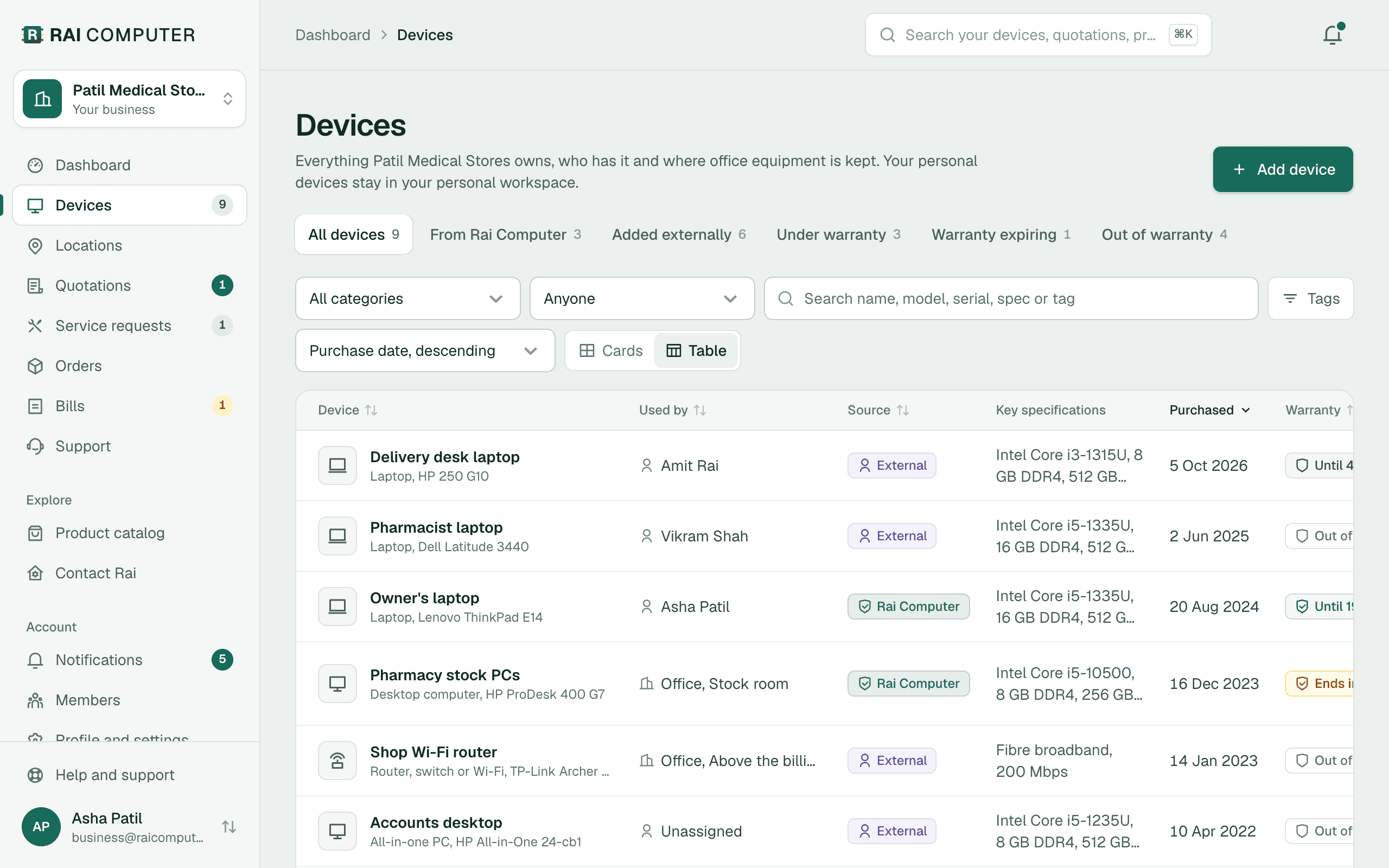
  • Asset inventory across buildings, floors and rooms
  • Device ownership, invoices and attachments
  • Warranty and AMC reminders before they lapse
  • Software licences, consumables and service history

Getting started takes an afternoon, not a project. Upload invoices, photograph equipment or import a spreadsheet instead of typing in every device.

Division C

Support

Machines kept running, with every visit on the record.

  • On-demand repairs and remote troubleshooting
  • On-site support from our Grant Road workshop
  • Annual maintenance contracts and preventive visits
  • Hardware upgrades and end-of-life replacement

Our own engineers serve Mumbai directly. We grow into new areas only once service there meets the same standard.

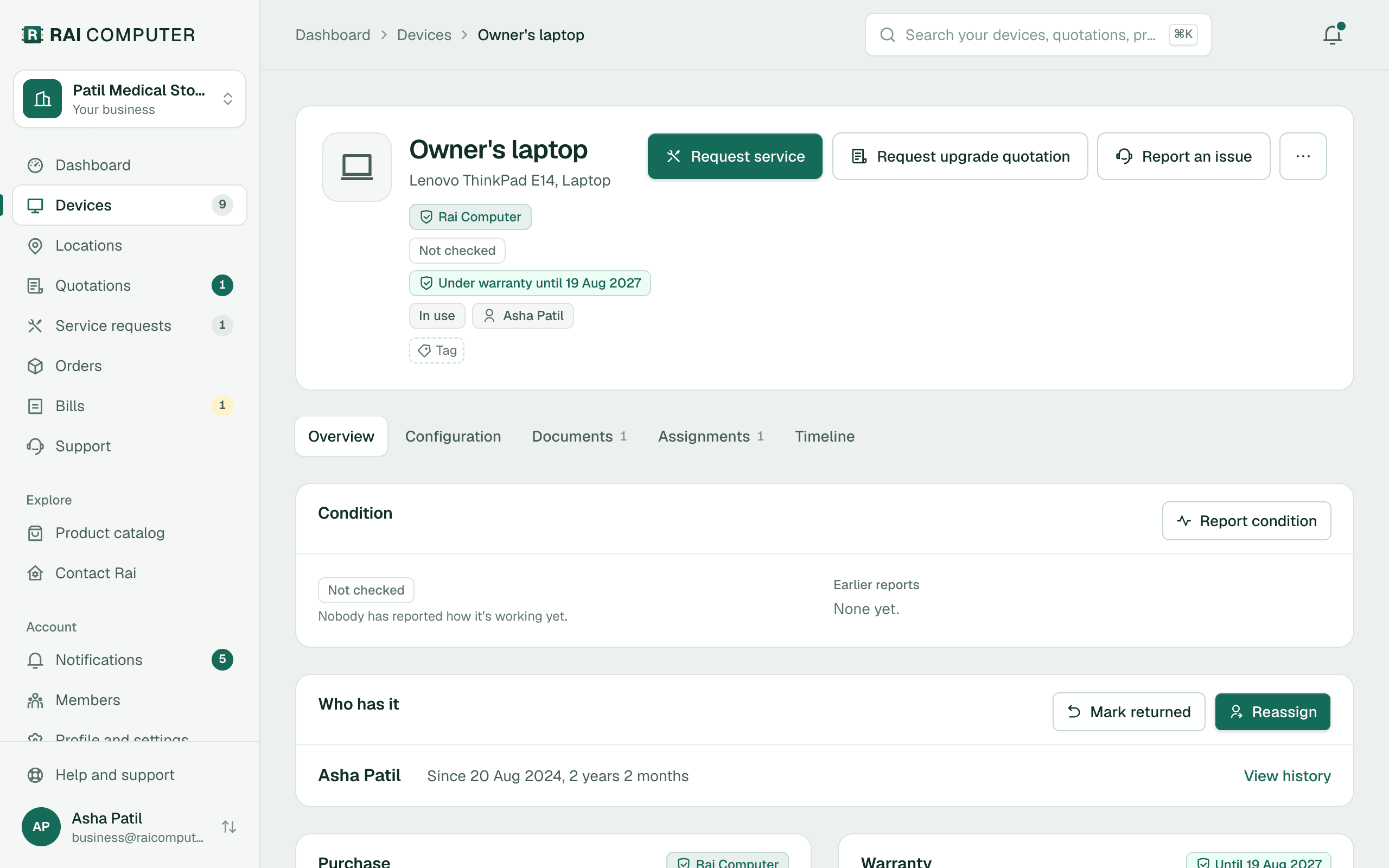
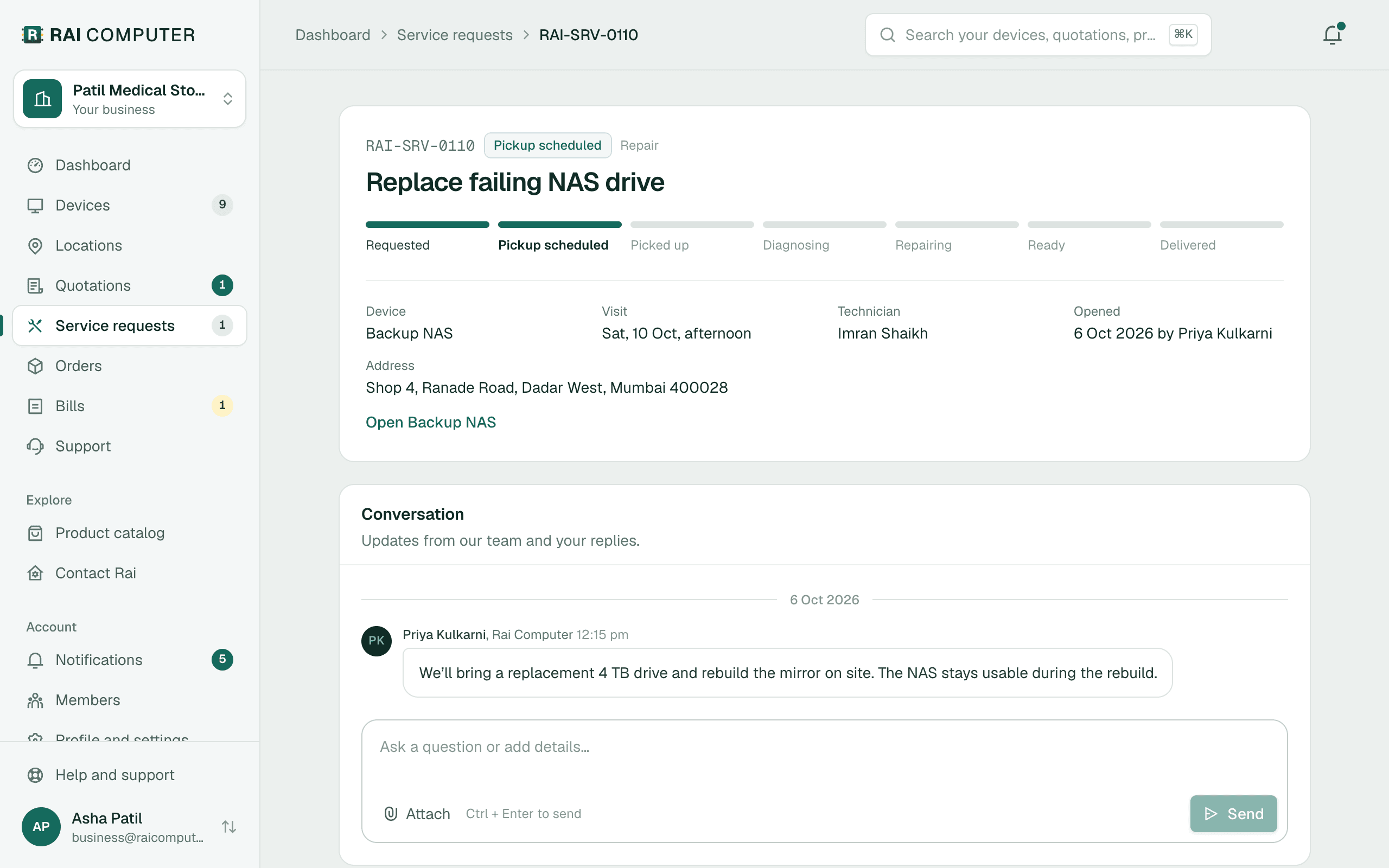
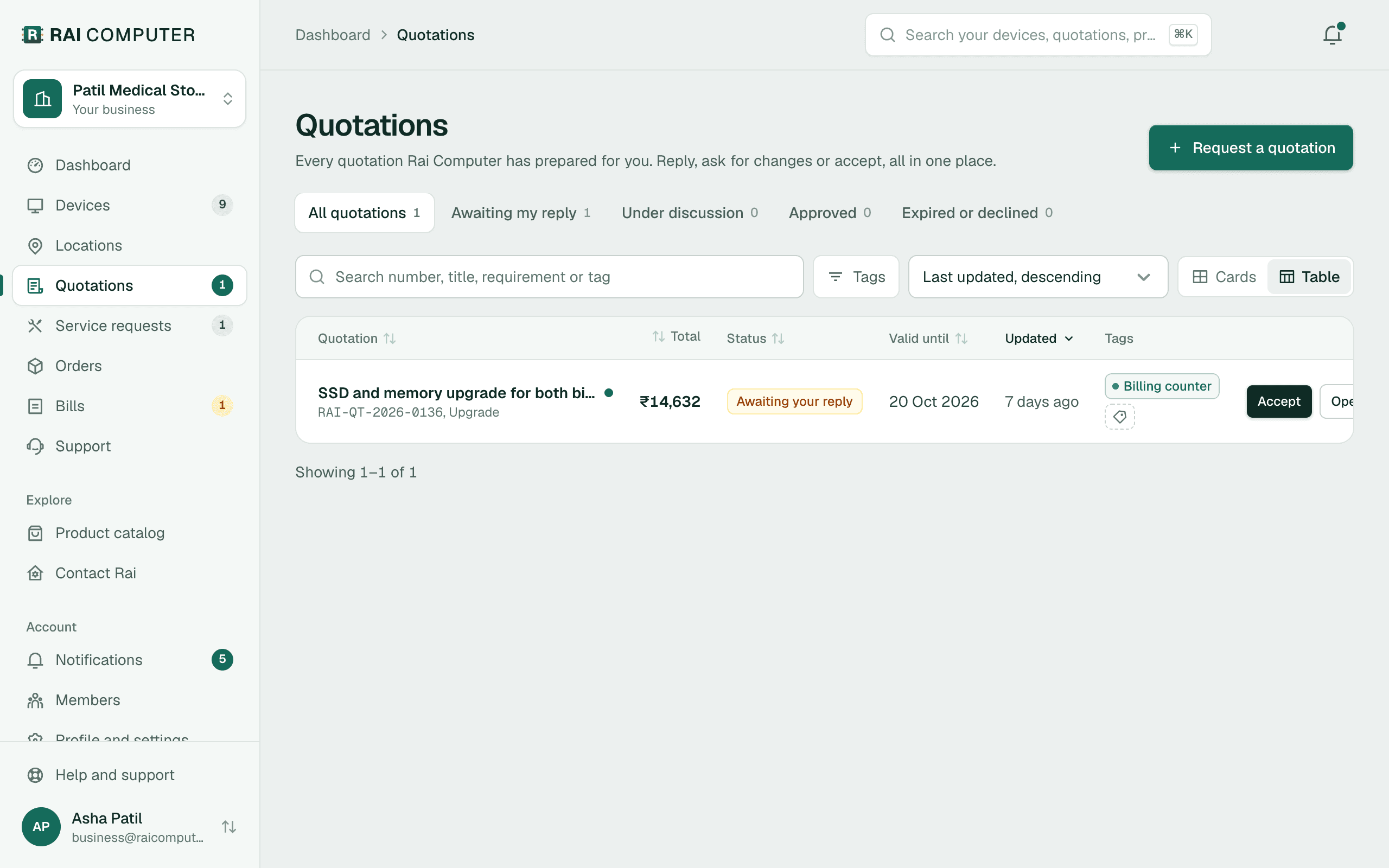
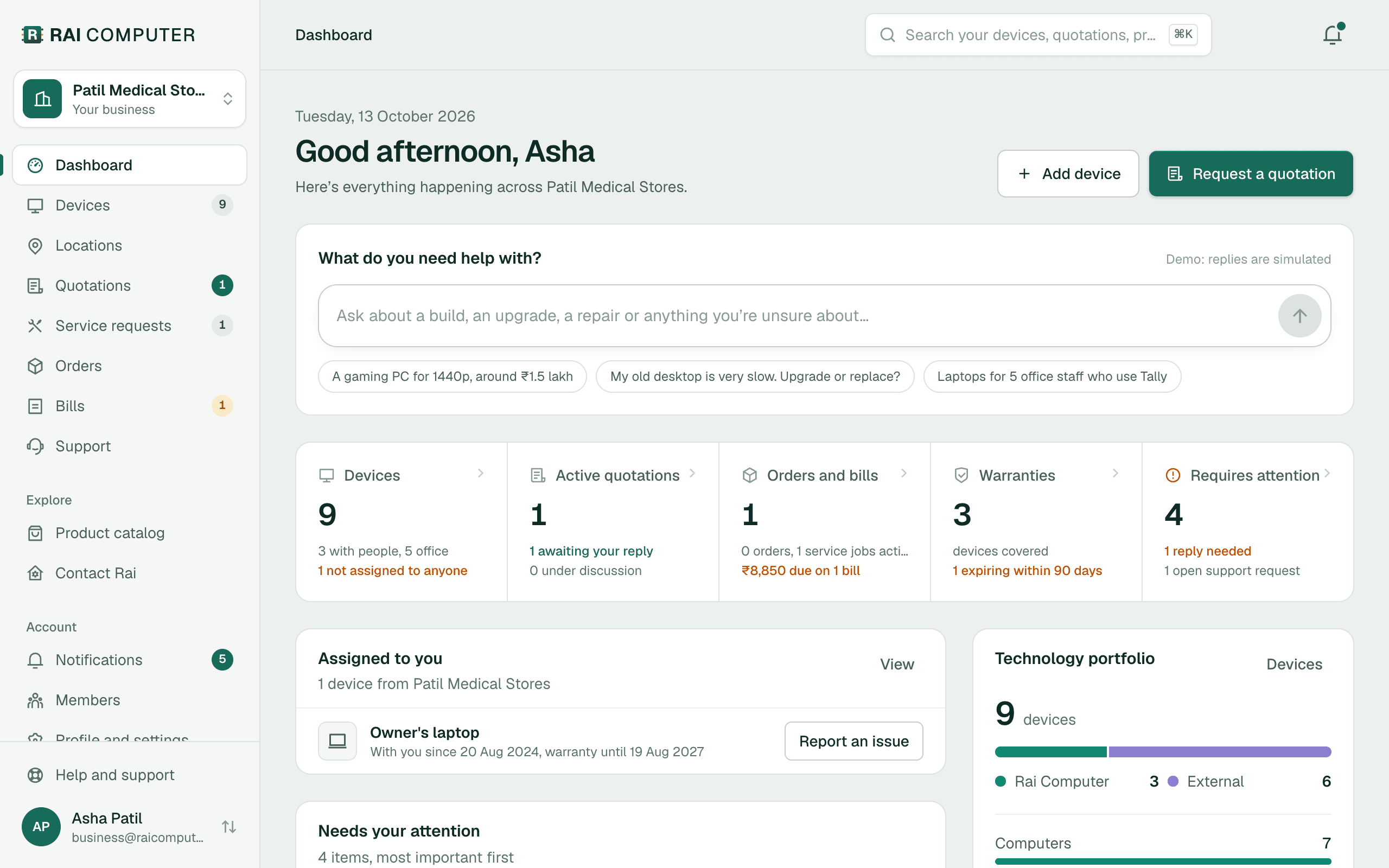
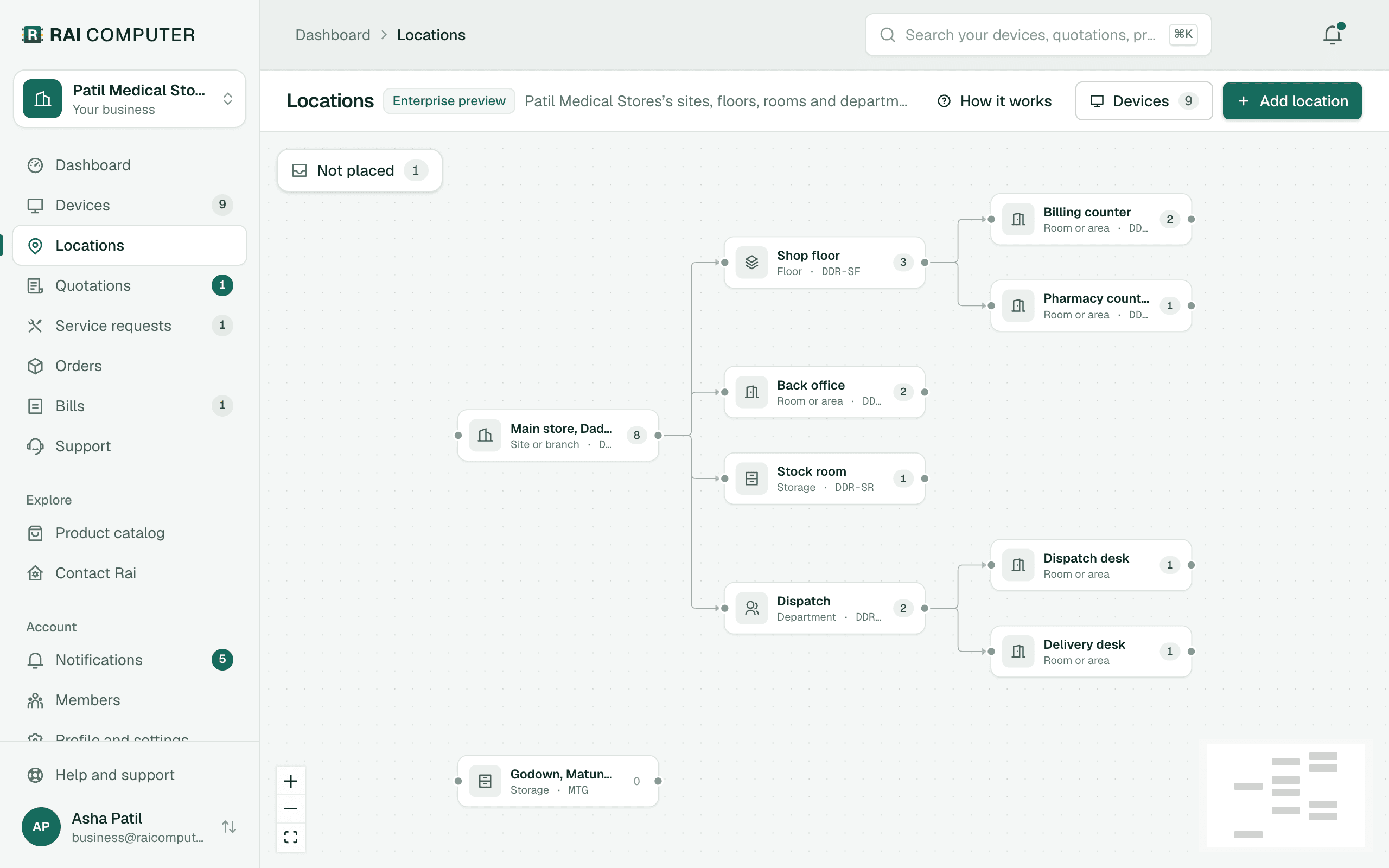
Inside the Manage platform.

Every site, device, repair and quotation in one workspace. It's free for up to 100 devices, and you can use it whether or not you buy hardware or support from us.

Screens from the Rai Computer workspace, shown with sample data.

raicomputer.com/account/locations
Locations map showing a main store split into shop floor, back office, stock room and dispatch, with counters and desks inside

One record from purchase to replacement.

Every stage of a device's life happens with the same team, and lands in the same workspace. You always know what you own, where it is and what it needs next.
  1. 01

    Supply

    New, value and refurbished machines, networking and peripherals, sourced for the job.

    In your free workspace

    Delivered machines arrive with their invoice and warranty.

  2. 02

    Set up

    Installation, cabling, networking and configuration on site.

    In your free workspace

    Each device is placed in its building, floor and room.

  3. 03

    Maintain

    Scheduled maintenance visits and health checks.

    In your free workspace

    Warranties and condition stay visible.

  4. 04

    Repair

    Doorstep and on-site repairs, with parts sourced for older machines.

    In your free workspace

    Report a fault and follow it from pickup to delivery.

  5. 05

    Upgrade

    SSD, memory and component upgrades that extend useful life.

    In your free workspace

    Request and approve quotations in one place.

  6. 06

    Replace

    Advice on when to replace, and the right machine when you do.

    In your free workspace

    History shows what is ageing before it fails.

Built for teams without an IT department.

We work best with organizations of 20 to 100 devices that have nobody looking after IT full time, and keep running into lost warranty details, breakdowns, vendor chasing or equipment nobody can find.

Larger estates, hospitals and multi-site chains get a deployment planned around them. See custom solutions.

Start with a visit, not a sales pitch.

You decide what to add, and when. Nothing is ordered or signed until you approve a quotation.

  1. Step 1

    A free inventory and AMC assessment

    An engineer visits, counts what you have and notes what needs attention. No obligation.
  2. Step 2

    Your devices go into the workspace

    We load them from your invoices, photos or spreadsheet, grouped by location, with warranty dates where we have them.
  3. Step 3

    Choose what you need

    Keep using Manage on its own, add an AMC for the machines that matter, or ask for a quotation on new equipment.
  4. Step 4

    One account from then on

    Requests, quotations, contracts and service history stay in one place for as long as you own the device.

Start with a free inventory and AMC assessment.

Tell us how many devices and locations you have. An engineer visits, maps what you own and recommends what's worth maintaining, upgrading or replacing.

Direct lines