
Rai Computer

End-of-life support for the systems you can't replace yet.

The manufacturer has moved on. Your business hasn’t. If an old computer still runs your accounts, your billing or your shop floor, we keep it running.

Parts, full system copies, scheduled maintenance and a plan for the day you move on, from one team that knows older machines.

What we keep running
  • Windows XP, 7 and Server 2003 machines
  • Old Tally and accounting computers
  • Billing counters with dot-matrix printers
  • Factory-floor and industrial PCs
  • Lab and clinic machines tied to old software
  • Discontinued boards, memory and drives

Your system works. Support for it doesn't.

Updates stop, parts go out of production and most technicians would rather sell you something new. Replacing the machine often means replacing the software, retraining staff and checking every report again.

For many businesses the sensible choice is to keep the old system and support it properly. That is what we do.

  • Tally / accounting machines that can't be touched
  • Industrial / factory floor PCs
  • Specialized medical or lab software
  • Dot-matrix billing counter setups
  • End-of-life systems running critical workflows

Continuous support, not one-off fixes

Everything an old system needs to keep working, looked after by one team that knows older machines.
  • Parts that are no longer made

    We trace compatible memory, drives, cards and boards for machines the manufacturer stopped supporting, and keep spares for the ones that matter most.
  • A full copy of every critical machine

    Byte-level images of working systems, so a hardware failure becomes a swap onto a known-good copy instead of a rebuild from scratch.
  • Isolated and hardened

    Old operating systems kept off the open internet where possible, locked down to the software they need, with current backups.
  • Component-level fixes

    Power supplies, capacitors, ports and specialty boards fixed on the bench when a replacement isn't available.
  • Same-day response when it can't wait

    On the Mission Critical plan: same-day on-site visits, cold-spare hardware on standby and a documented recovery runbook.
  • A way out, when you're ready

    When it's finally time to move, we image, port and check your software on new hardware before switching over.

Choose how much cover you need

Start with a single visit, or put a machine on a plan. Every plan begins with a free look at what you run.
One visit

One-time Revive

  • Diagnostic & cleaning
  • Failing component swap
  • OS reinstall / repair
  • Backup of existing data
  • 30-day workmanship warranty

Price

From ₹2,500

Scheduled care

Quarterly Tune

  • 4 visits per year
  • Disk health & SMART checks
  • Driver / firmware updates
  • Backup verification
  • Emergency response add-on

Price

From ₹6,000 / yr

For machines that can't go down

Mission Critical

  • Same-day on-site SLA
  • Cold-spare hardware on standby
  • Quarterly system imaging
  • Documented recovery runbook
  • Direct line to senior engineer

Price

Quoted for your system

How we take over an old system

The first weeks are about making sure a failure can never become a disaster. After that, it's steady, scheduled care.
  1. Step 1

    We look at what you run

    An engineer records the hardware, the operating system, the software that depends on it and what tends to fail.
  2. Step 2

    We take a full copy

    An image of the working system and a backup of its data, before anything else is touched.
  3. Step 3

    We stock the spares

    Compatible parts sourced ahead of time, and cold-spare hardware for machines that can't go down.
  4. Step 4

    We keep it running

    Scheduled visits, disk and health checks and backup verification, with priority response on the plan you choose.
  5. Step 5

    We plan the exit with you

    No pressure to replace. When the time comes, we move it to new hardware and check everything works first.

We’ll be straight with you about the risks.

An operating system that no longer gets security updates can’t be made as safe as a current one. We reduce the risk by isolating the machine, keeping copies and limiting what it runs.

And when keeping it going costs more than moving on, we’ll tell you, and help you move without losing what works.

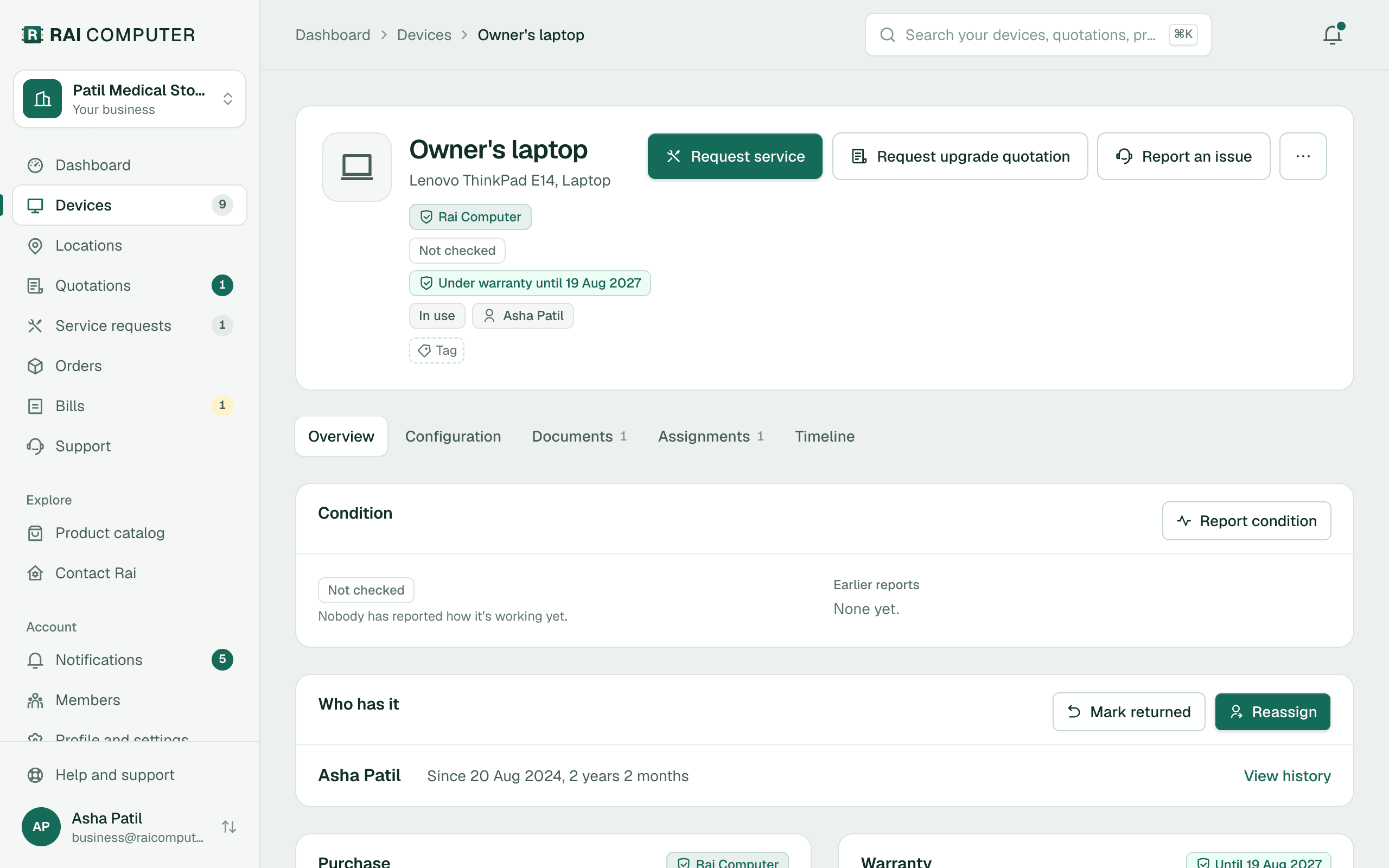
Every old machine on record.

Its configuration, documents and service history are kept in your free workspace, so the knowledge of how it's set up never leaves with one person.

Screen from the Rai Computer workspace, shown with sample data.
raicomputer.com/account/devices
A laptop's record with its warranty, condition, current user and tabs for configuration, documents, assignments and timeline

Keep your old system running.

Tell us what it is and what it runs. We'll look at it, take a copy and suggest the right level of cover, with no pressure to replace anything.

Direct lines